Features
Everything a restaurant shift needs
Every screen here is from the product. Jump to the part of service you care about most.
Front of house
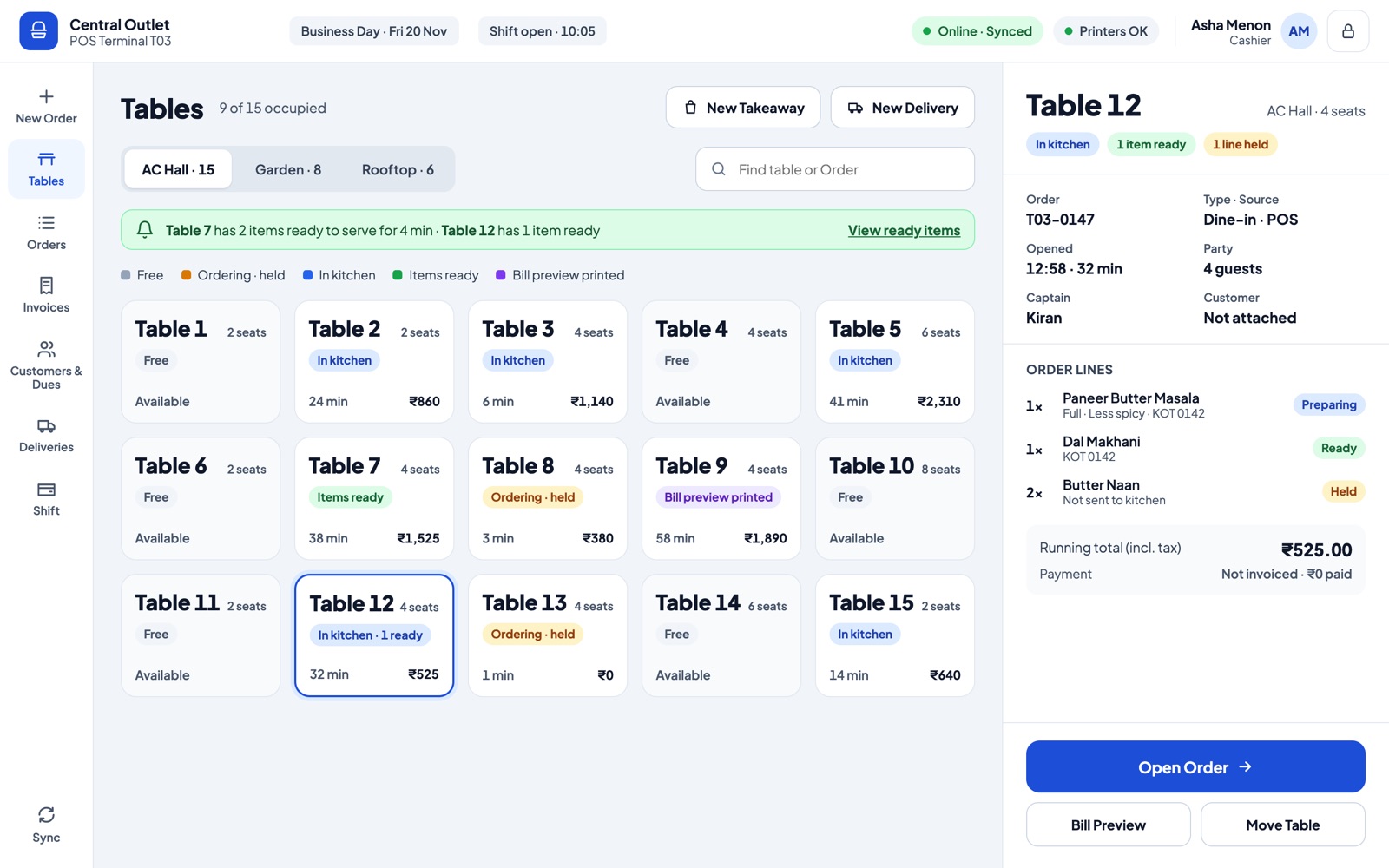
The floor, live, on one screen
Tables show their state in words and colour. Pick one and the order, its kitchen progress and its running total are right beside it.
- Floors and sections, each with its own table plan
- Dine-in, Takeaway, Delivery and Aggregator Order Types
- Item variants and modifiers, with veg and non-veg marked
- Hold lines on the order and Fire them when the guest is ready
- Move a table, or split one order into separate invoices
- Discounts and charges, with a manager approval where needed
- Takeaway tokens with a ready-for-handover screen
Captain app
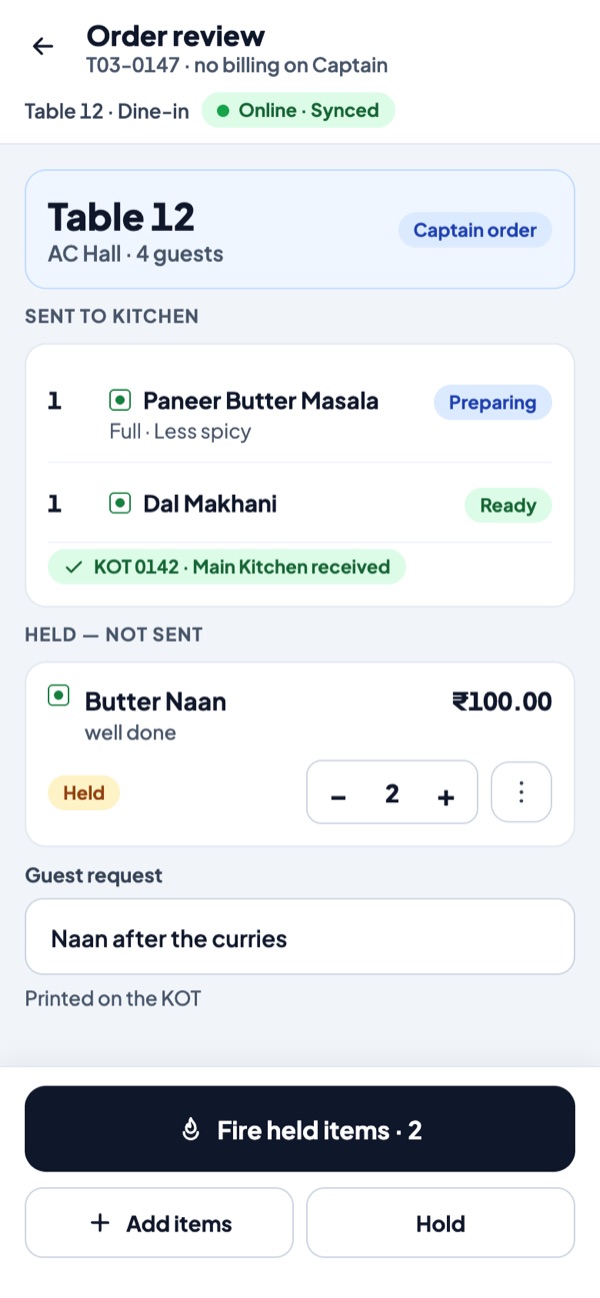
Orders taken at the table, fired from the phone
Captains carry the Simires app. They see their assigned tables, take the order with the guest, and Fire it straight to the kitchen.
- Tables, Orders and Ready items in a focused phone layout
- Fire sends a KOT to each Kitchen Station involved
- Captain Terminals take orders but never settle invoices, by design
- Staff PIN lock for shared phones
Kitchen Display
The pass knows before the floor asks
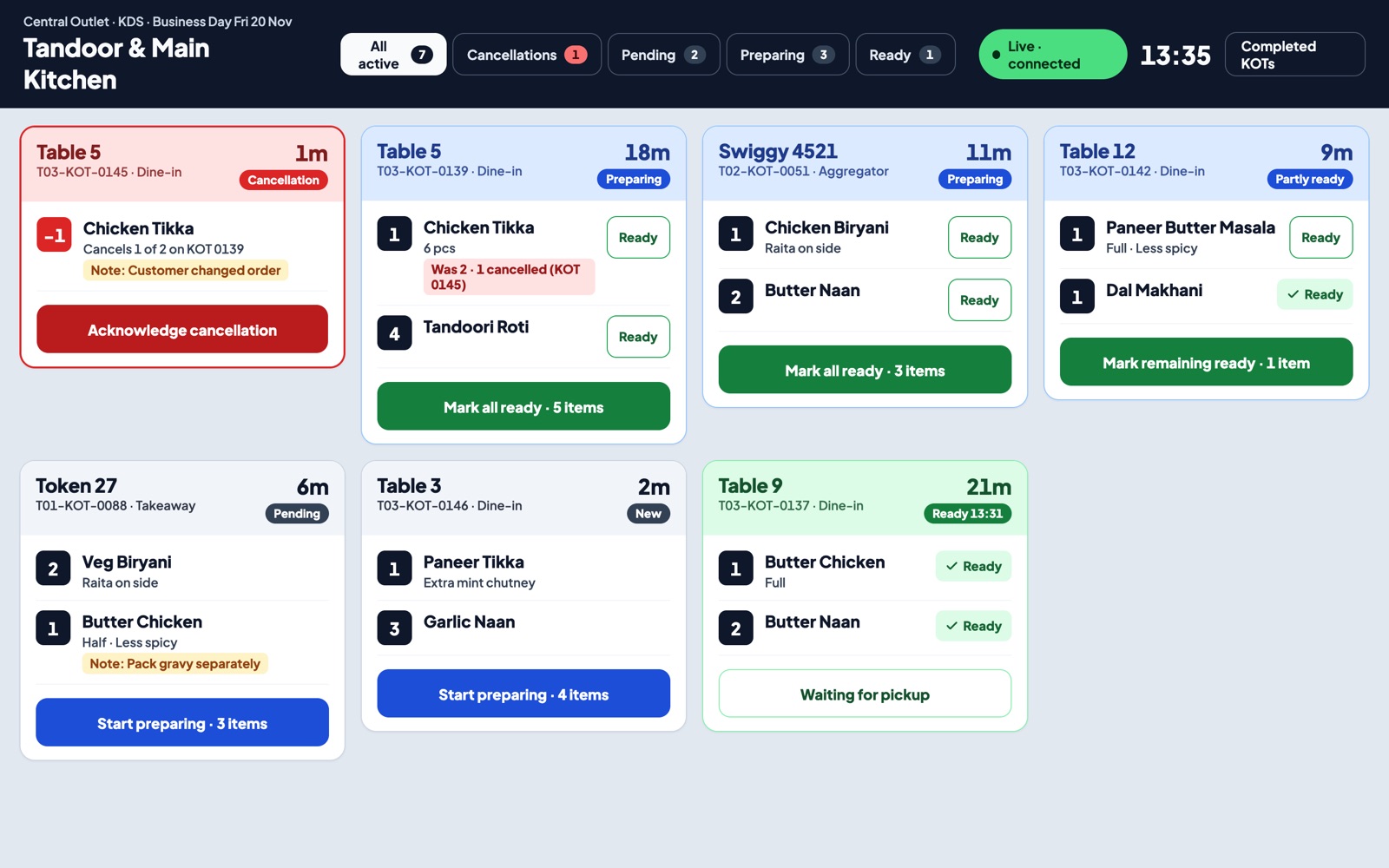
Big, glanceable KOT cards with a clock on each. Chefs mark items ready one by one, and the cashier's Tables screen lights up green the moment they do.
- A screen per Kitchen Station: Tandoor, Main, Bar, or your own
- Prep Status per item: Pending, Preparing, Ready
- Cancellation KOTs arrive in red and must be acknowledged
- Notes like "pack gravy separately" stay on the ticket
- Items routed to No KOT never wait on the kitchen
- Completed KOTs and a review after reconnecting
Checkout & payments
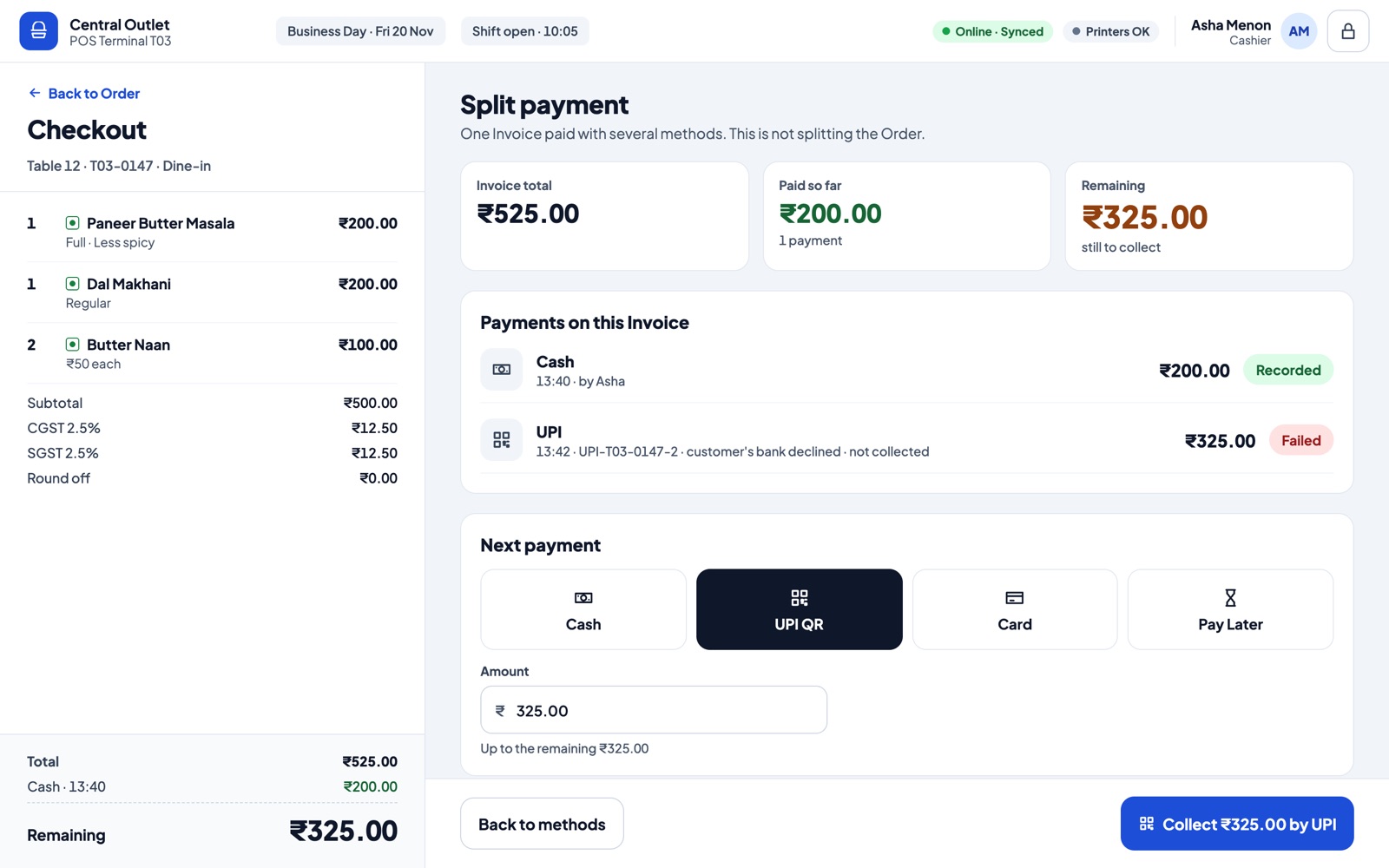
Every way your guests pay, on one bill
Take one method at a time or combine several. The amount remaining is always the largest number on the screen.
- Cash with change shown
- UPI QR on the POS and on the Customer Display
- Card with a reference number
- Several methods on one bill, or one order split into separate invoices
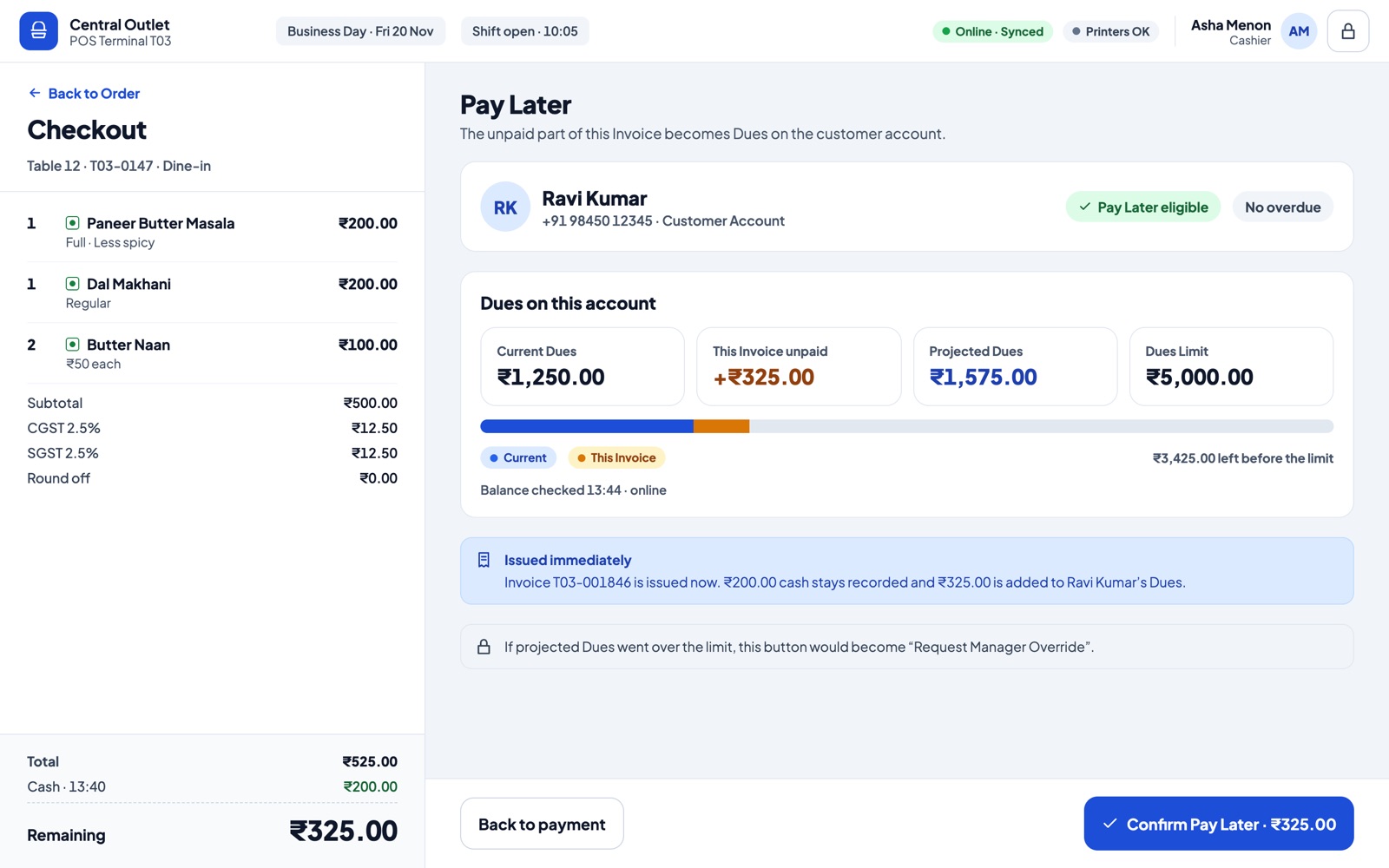
- Pay Later invoices now and records the amount as Dues on a Customer Account
- Dues lookup and collection from the POS
Invoices & documents
GST invoices that are right the first time
A Bill Preview is unnumbered, so it can change. An Invoice is issued once and never edited.
- CGST and SGST calculated by the tax engine, with round off shown
- Optional, waivable Service Charge; Packing and Delivery Charges named separately
- Bill of Supply for composition outlets
- Separate tax presentation for aggregator orders
- Invoice Cancellation keeps its number; Credit Notes handle reversals
- E-bill to the customer's phone or email, only with their consent
Delivery & aggregators
Your riders and the platforms, in one queue
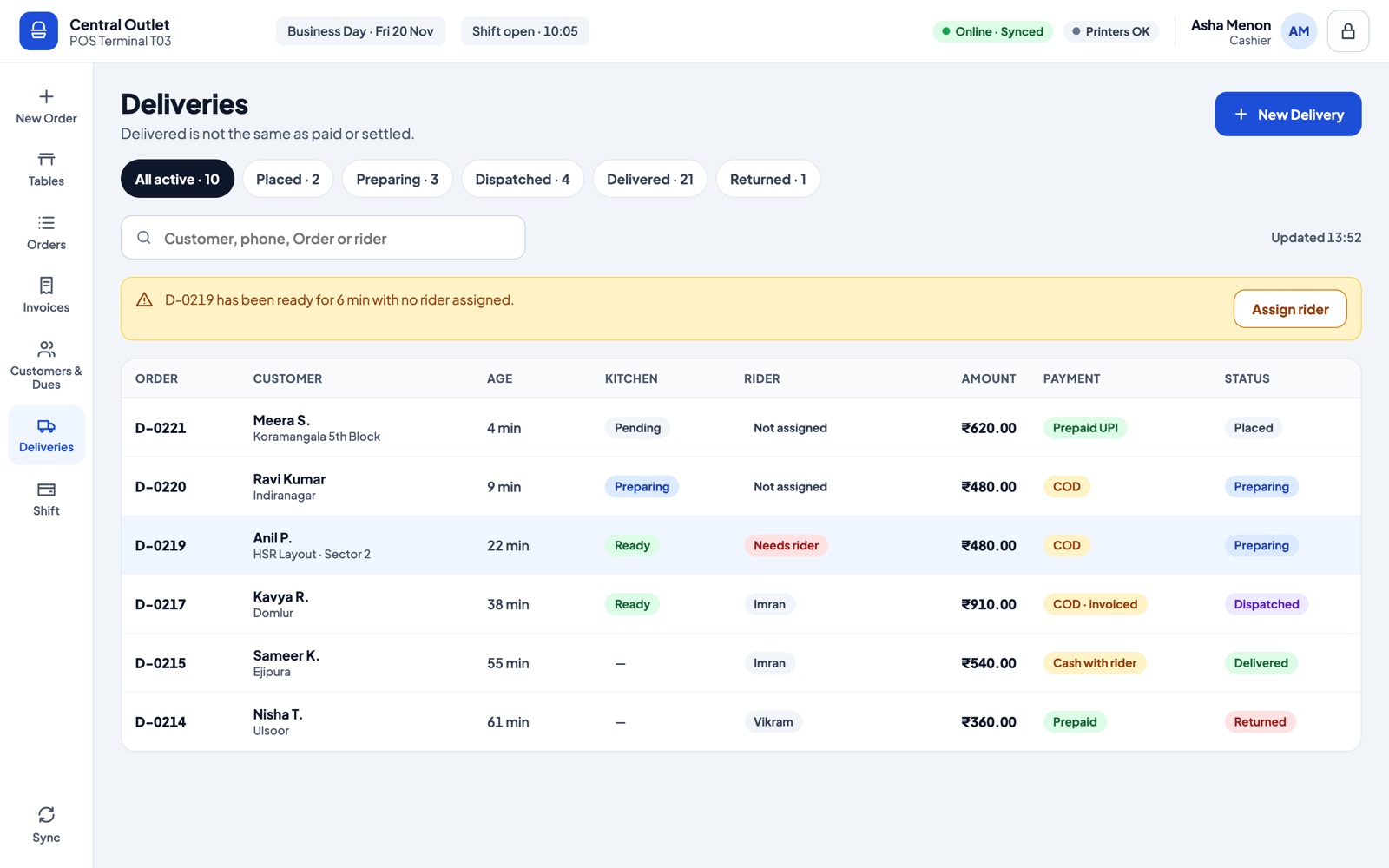
Delivery orders move from Placed to Delivered with the rider, address and payment always in view.
- Customer address and delivery details captured on the order
- Invoiced at Dispatch, with Cash on Delivery tracked as due
- Delivered, returned and cash-collected recorded as separate events
- Rider Settlement at the end of the shift
- Aggregator orders entered with the platform's own order reference
- No cash asked for when the platform has already collected
Offline & sync
Keep billing when the internet drops
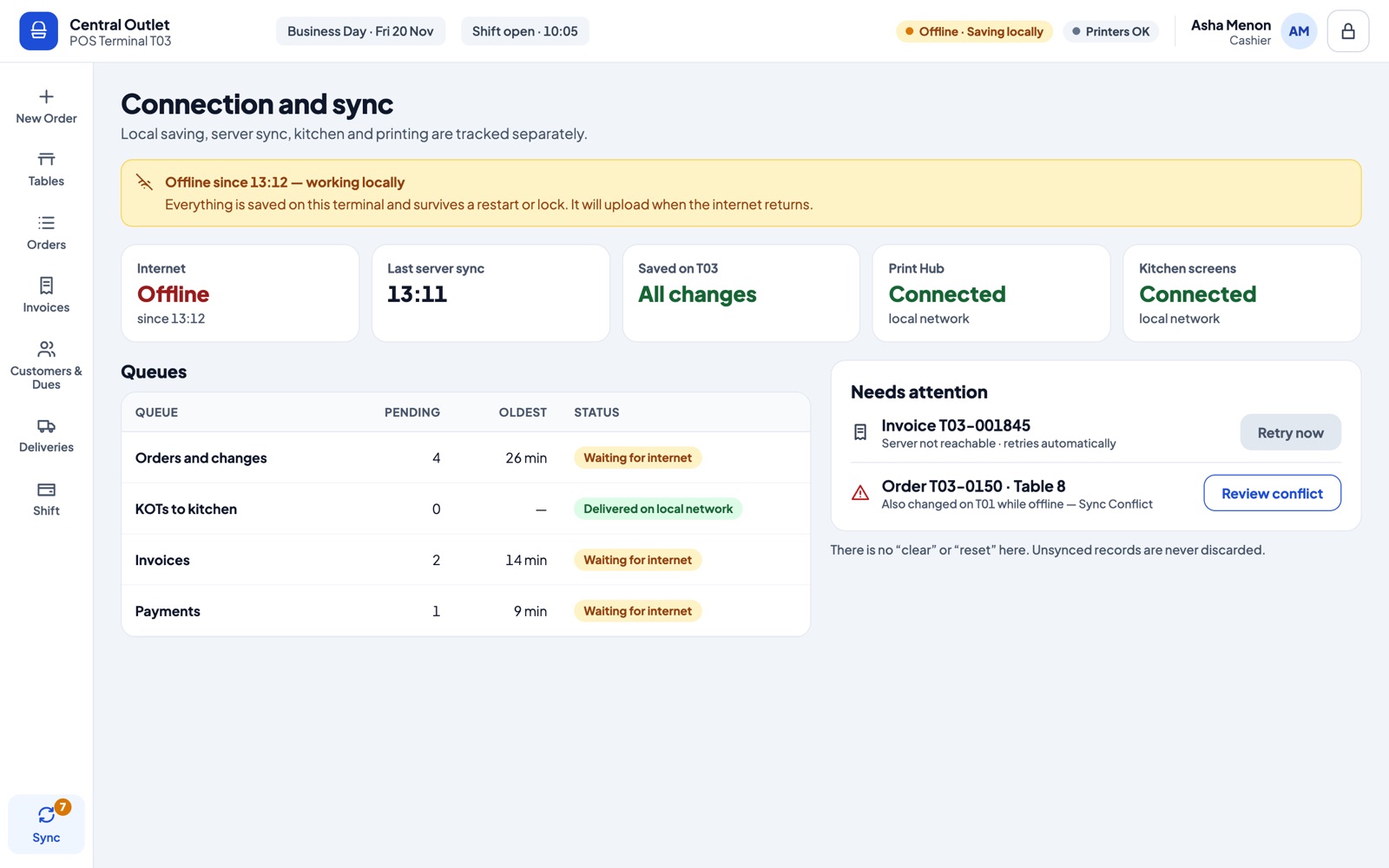
On the Simires POS app, each paired Terminal invoices from its own number series, so a lost connection never stops a sale. The web POS runs online.
- Saved on Terminal, synced, printed, invoiced and paid shown as separate states
- Automatic sync when the connection returns
- Conflicts between Terminals surfaced for review, never silently merged
- Issued numbers and payment evidence are always preserved
- Print jobs queued and recoverable when a printer comes back
Staff, approvals & audit
Sensitive actions need a manager. Every time.
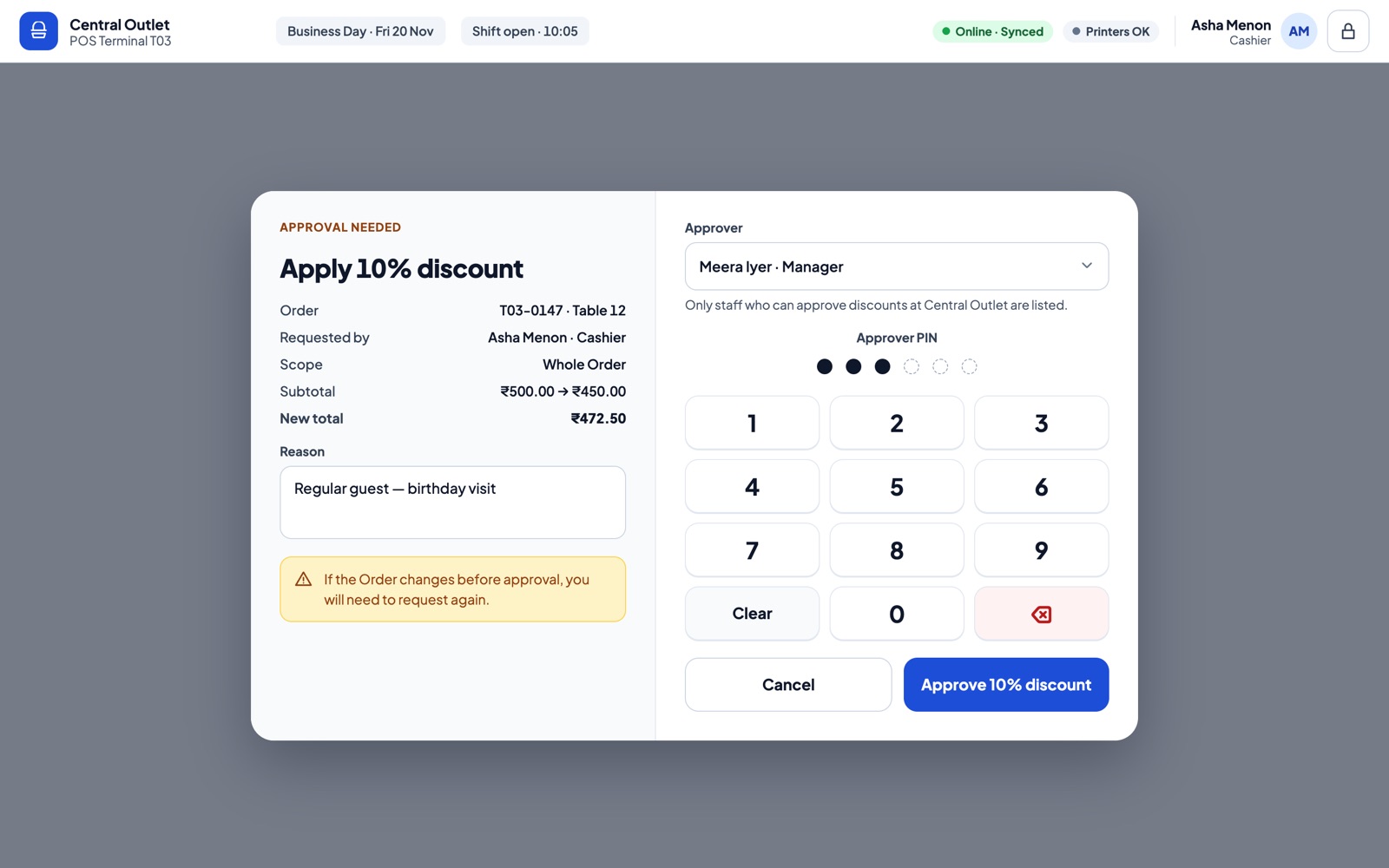
Each action is tied to the person who did it. Anything that moves money or removes food asks for approval first.
- Roles for Owner, Manager, Cashier, Captain and Kitchen
- Staff PINs of 4–6 digits, locked for a few minutes after repeated failures
- Manager Override approves discounts, cancellations and reprints in place
- An audit trail of who did what, and who approved it
- A device only works once a manager pairs it to an Outlet and Terminal
- Two-factor sign-in and passkeys for the web back office
Shifts, days & reports
Close the night with the numbers agreeing
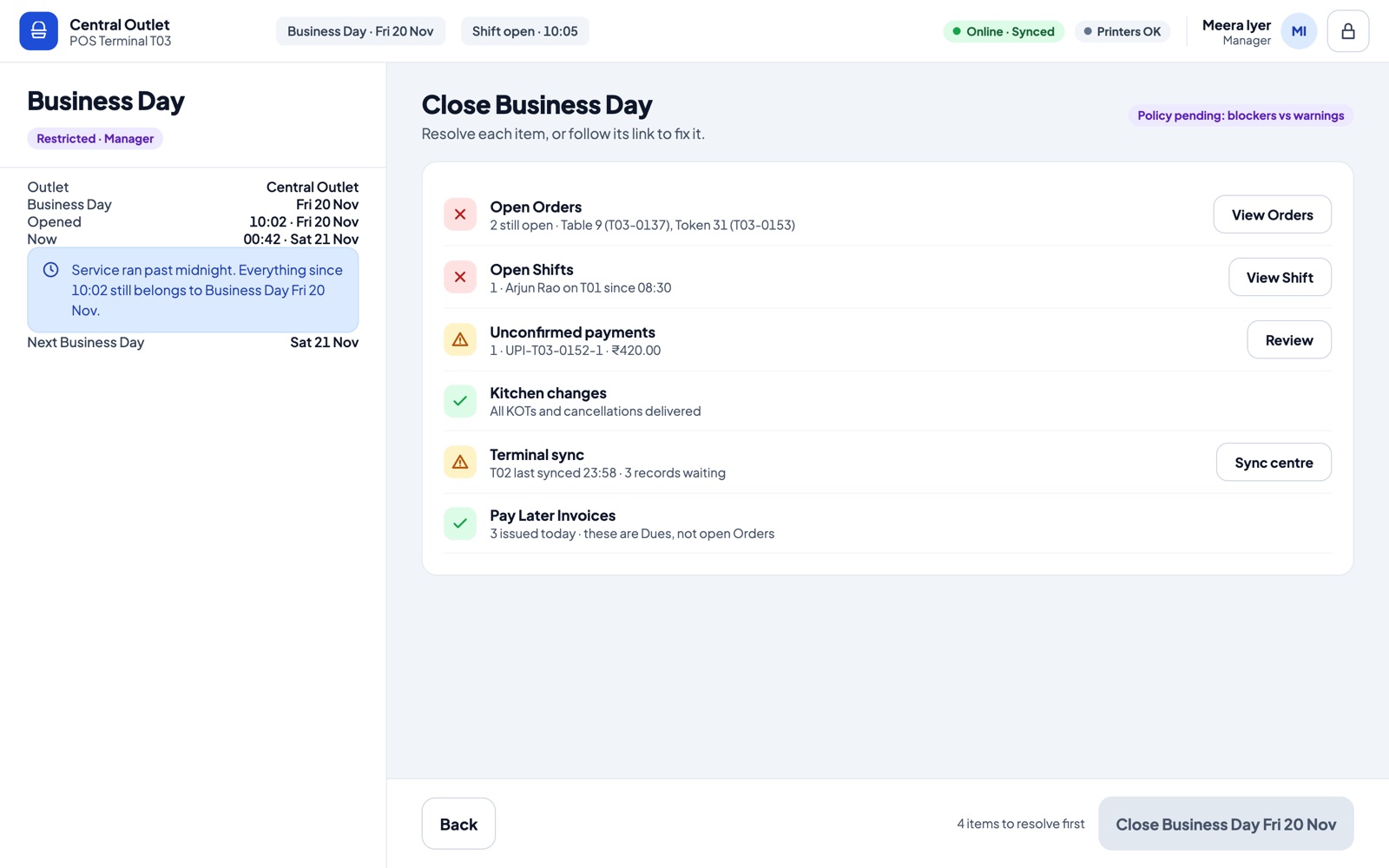
A Shift is one person's cash drawer. A Business Day can run past midnight and is the date your reports use.
- Open and close Shifts with a counted cash drawer
- Business Day opening and closing for each Outlet
- Reports by Business Day, with real timestamps where order matters
- Menu catalog with variants, modifiers and Kitchen Station routing
- One Brand, many Outlets, each with its own Terminals and staff
See a full dinner service in 20 minutes
We'll pair a demo Terminal and walk you from the first order to closing the Business Day.